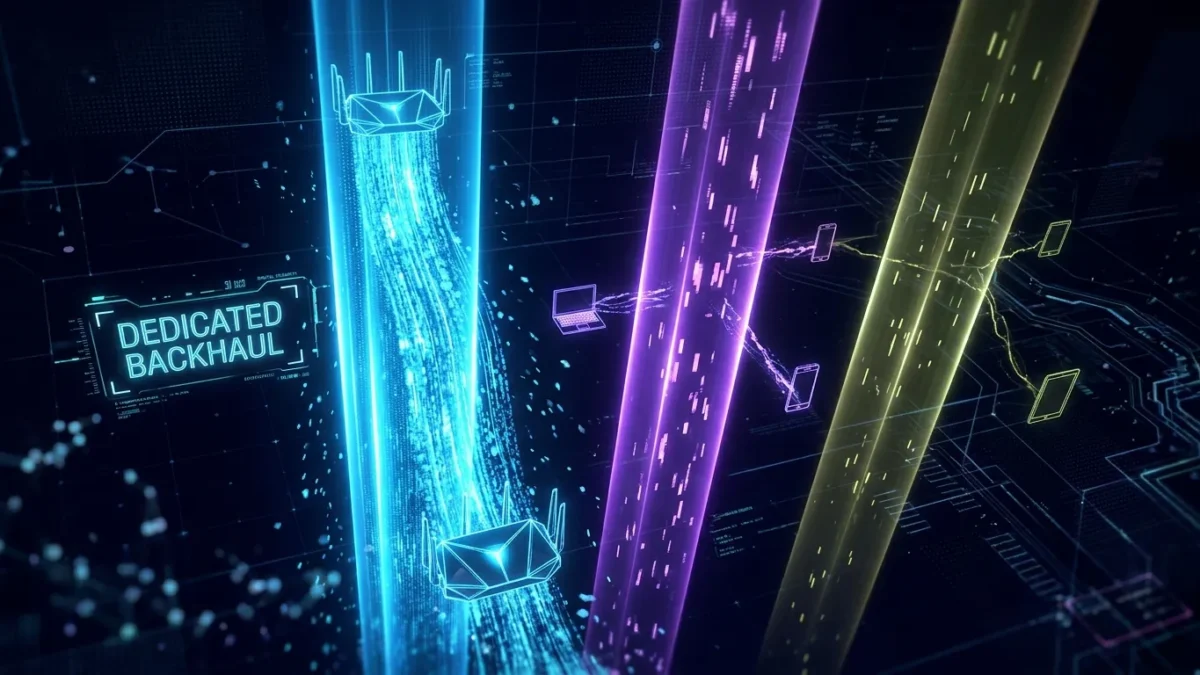
Dedicated wireless backhaul in mesh Wi-Fi is a separate, reserved radio frequency band used exclusively for communication between mesh nodes rather than sharing airtime with connected client devices.
When you set up a home mesh network, satellite access points must relay your data back to the primary router wired to your internet modem. In basic wireless setups, this node-to-node communication takes place across the same wireless channels that your phones, laptops, and streaming boxes use to access the internet. A dedicated backhaul assigns an independent radio to handle that transfer task. Readers exploring network hardware on BoringMagazine.Co often ask why premium mesh systems cost significantly more than entry-level kits. The inclusion of a dedicated backhaul radio is usually the primary factor.
Why Basic Repeaters and Shared Systems Lose Half Their Speed
Wi-Fi radios operate as half-duplex devices. A half-duplex radio can transmit data or receive data, but it cannot do both at the same moment on the same channel. When a device transmits a packet, other devices on that channel must wait for the transmission to finish.
Traditional range extenders and entry-level dual-band mesh systems use a single 5 GHz radio for two tasks. First, the satellite receives data packets sent from your phone. Second, the satellite retransmits those same packets to the main router. Because the radio uses the same channel for both steps, it must split its available airtime in half. The satellite spends half of its time talking to your phone and the other half relaying data to the base unit.
This process cuts maximum theoretical throughput by 50 percent at the first hop. It also introduces latency. As packet queues form during heavy usage, real-time activities like video calls and online gaming suffer from jitter and buffering.
How Tri-Band Radio Channel Allocation Works
Dedicated wireless backhaul solves this half-duplex bottleneck by adding a third physical radio inside each mesh node. Standard dual-band routers offer one 2.4 GHz radio and one 5 GHz radio. Tri-band mesh systems add a second 5 GHz radio, or in newer Wi-Fi 6E and Wi-Fi 7 models, a 6 GHz radio.
The system allocates frequencies into clear operational roles:
- The 2.4 GHz Client Band: Covers long-distance low-bandwidth devices, including smart plugs, appliances, and older hardware.
- The 5 GHz Client Band: Connects primary home devices, such as laptops, smartphones, and televisions.
- The Dedicated Backhaul Band: Operates on an isolated 5 GHz or 6 GHz frequency, communicating solely between mesh nodes.
Because the backhaul radio operates on its own channel, node-to-node relays never compete with local client traffic for airtime. The satellite receives data from your laptop on the client band and transmits it to the main router on the backhaul band simultaneously.
This approach mirrors the isolated signal paths used in modern audiovisual equipment, where high-bandwidth audio travels on a separate channel without competing with video streams. You can read about dedicated signal routing in our guide on the difference between HDMI ARC and eARC.
Dedicated Wireless Backhaul Versus Dynamic and Shared Backhaul
Not all multi-node systems treat backhaul traffic the same way. Understanding the technical differences helps you select the right equipment for your space.
In a shared backhaul design, common to dual-band hardware, client traffic and node relay traffic share one radio band. When multiple devices download large files, available bandwidth drops quickly because internal network traffic and external web downloads fight for the same airtime.
In a dynamic backhaul design, the router software analyzes radio conditions and switches the backhaul route across different bands as needed. While dynamic systems offer flexibility, switching frequencies under load can cause momentary ping spikes or brief packet drops.
A dedicated wireless backhaul sets aside a permanent, private frequency channel. Client devices cannot connect to this channel. Even during periods of heavy local network use, the communication link between your nodes stays free of client congestion.
Real-World Deployment Examples in Modern Homes
The benefit of dedicated wireless backhaul becomes obvious in real home environments where physical layout affects radio signals.
Consider a two-story home where the fiber gateway sits in a corner of the ground floor. A user places a satellite unit on the upper floor to provide coverage for a home office. On a dual-band mesh kit with shared backhaul, a 500 megabit per second broadband connection yields only 200 to 250 megabits per second in the office because of the repeater penalty. With a tri-band system featuring dedicated wireless backhaul, the office computer receives the full 500 megabits per second because data transfers between nodes on a separate frequency.
Physical materials also influence performance. High-frequency 5 GHz and 6 GHz signals lose strength when passing through plaster, brick, or metal ducts. Readers browsing through our Technology guides know that optimal node spacing is required to keep backhaul link rates high across rooms.
Common Misconceptions and Setup Mistakes
Many people expect a tri-band mesh system to solve every Wi-Fi problem, but installation errors often reduce performance.
The most frequent error is placing a satellite unit inside a dead zone. If a satellite sits in a room that already receives poor signal, the backhaul radio cannot maintain a stable connection to the base router. A satellite node should always sit midway between the main router and the weak coverage area.
Another misconception is that dedicated backhaul increases your broadband plan speed. If your internet subscription delivers 300 megabits per second, dedicated backhaul prevents your internal network from cutting that rate to 150 megabits per second; it cannot raise your plan speed above 300 megabits per second.
Network administrators often study how routing pathways affect data delivery across wide networks, as outlined in our review of why DNS propagation takes time. Similarly, home users must recognize that radio frequency congestion and physical obstacles can still degrade wireless performance.
If you want the absolute highest performance, wired ethernet backhaul remains the gold standard. Running an ethernet cable between nodes bypasses wireless interference entirely and frees all radio bands for your phones and laptops.
FAQ
Does dedicated wireless backhaul make your internet connection faster?
Dedicated wireless backhaul does not increase the raw speed provided by your internet service provider, but it prevents speed loss between mesh nodes inside your home. If you pay for 400 megabits per second, it helps you achieve that full speed on satellite nodes rather than losing half of it to relay overhead.
Can a dual-band mesh system have dedicated wireless backhaul?
A dual-band mesh system cannot provide a true dedicated wireless backhaul because it only possesses two radios: one 2.4 GHz radio and one 5 GHz radio. Reserving one of those bands entirely for backhaul would leave connected devices with only a single radio band, creating severe local bottlenecks.
Is wired ethernet backhaul better than dedicated wireless backhaul?
Wired ethernet backhaul is better than dedicated wireless backhaul because copper cables provide higher throughput, lower latency, and zero susceptibility to radio interference. Using an ethernet cable between mesh units also frees up the dedicated wireless radio to serve mobile devices.