Travel eSIMs work internationally by downloading a digital cellular profile over the internet, attaching to a local partner carrier’s radio towers, and routing data packets through an international roaming exchange.
Instead of swapping plastic SIM cards at airport kiosks, travelers can configure mobile connectivity directly from software settings. At BoringMagazine.Co, we track how travel technology operates behind the scenes so travelers understand the systems powering their trips. While the setup feels simple, an international eSIM relies on remote authentication servers, local carrier agreements, and cross-border routing tunnels. This structure explains why your data connection may display an unfamiliar IP address or show extra latency while browsing abroad.
Remote Provisioning: How an eSIM Profile Reaches Your Device
An eSIM is an embedded Universal Integrated Circuit Card (eUICC), a microchip soldered onto a smartphone motherboard. Unlike traditional plastic SIM cards that hold a single subscriber identity, an eUICC can store multiple network profiles.
The technical framework governing this setup comes from the GSMA, the global organization representing cellular network operators. When you buy a travel plan, the seller provides an activation code, usually as a QR code. This code directs your device to a remote server known as a Subscription Manager Data Preparation (SM-DP+) platform.
A software component in your phone called the Local Profile Assistant (LPA) completes the setup:
- The LPA contacts the SM-DP+ server over Wi-Fi or cellular data.
- The device and server authenticate each other using cryptographic security certificates.
- The server prepares an encrypted profile containing an International Mobile Subscriber Identity (IMSI) and network keys.
- The LPA downloads the package and saves it directly to the eUICC chip.
Once installed, your phone has a functional cellular identity ready to connect to overseas towers.
Attaching to Local Host Networks Abroad
When you arrive at your destination and turn on the travel line, your phone scans for nearby cellular frequencies. It detects cell towers owned by domestic carriers, such as Orange in France or NTT Docomo in Japan.
Your travel eSIM provider does not own physical radio towers. Instead, the company operates as a Mobile Virtual Network Operator (MVNO) or partners with a wholesale roaming broker that negotiates access with domestic carriers.
When your device requests access to a nearby tower, the networks follow an authentication sequence:
- Your phone sends its IMSI identifier to the local cell tower.
- The local carrier reads the country and network codes within the IMSI.
- The local carrier queries your provider’s database across international signaling lines to verify your account status.
- Once approved, the local network registers your device and grants access to its radio bands.
Many travel profiles include multi-carrier agreements. If one local carrier has a weak signal, your phone can switch to another partner network.
Data Tunneling and Why Your IP Address Stays Abroad
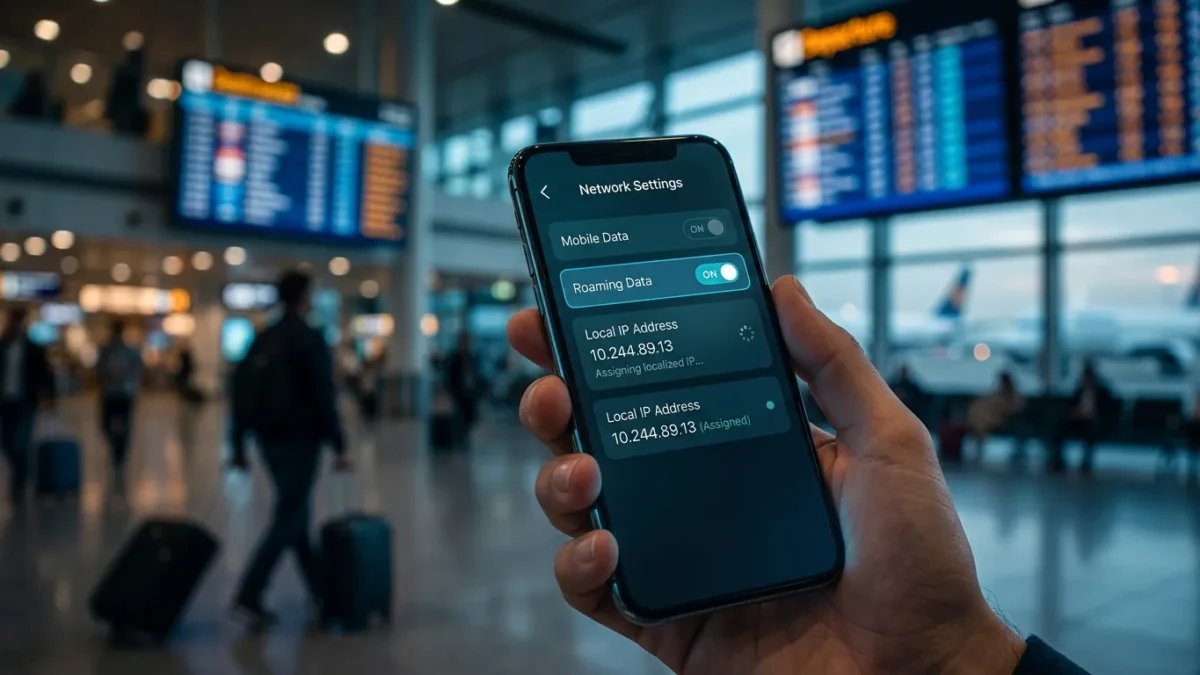
Many travelers notice that their internet location remains in another country while using an international eSIM. You might connect to a cell tower in Rome, yet search engines display results in German, banking apps warn of foreign logins, or streaming platforms show British catalogs.
This occurs because standard roaming does not release data directly into the local country’s domestic internet exchange. Instead, the host network wraps your internet packets inside a secure channel using the GPRS Tunneling Protocol (GTP). These packets travel over an international IP eXchange (IPX) network back to a central gateway operated by the eSIM provider or its wholesale partner.
If your travel profile originates from a provider based in Austria, your internet traffic in Rome travels from the Italian tower to a gateway in Vienna before entering the public internet. Websites recognize the Austrian gateway as your location, assigning you an Austrian IP address.
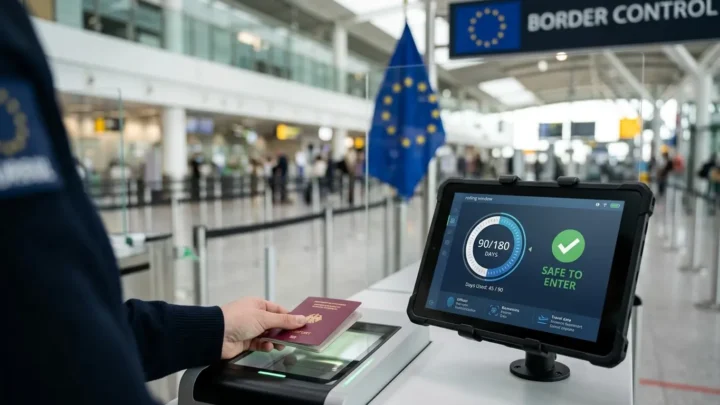
Travelers spending extended time abroad, such as those tracking how the Schengen 90/180-day rule works across European borders, often notice their IP location stays constant. This central routing maintains continuous account tracking, but sending packets to a distant gateway adds latency.
Local Breakout Compared to Home-Routed Roaming
Mobile carriers rely on two main configurations to handle data for traveling subscribers: home routing and local breakout.
Home routing is the standard setup for most consumer travel eSIM plans. All web requests return to the provider’s central gateway before reaching public websites. This design simplifies billing for wholesale brokers, but it increases latency. A user in Tokyo on an eSIM routed through Europe may see ping times exceeding 300 milliseconds.
Local breakout (LBO) routes data directly to internet exchanges within the country you visit. Under local breakout, browsing traffic in Tokyo exits directly onto Japanese infrastructure. This keeps ping times low and assigns a local IP address. However, local breakout requires complex roaming agreements, making it rare among budget travel plans.
In our Travel guides, we note how these routing differences affect real trips. For example, travelers checking transit updates or booking European train seat reservations on cross-border journeys often prefer regional routing hubs that reduce delay while moving between countries.
Common Configuration Mistakes and Troubleshooting Steps
Most travel eSIM problems stem from a few regular configuration settings. Checking these items can quickly restore a dropped connection:
- Data Roaming Disabled: Because your travel profile operates as a guest on foreign networks, you must enable the data roaming switch for that specific line. Leaving it off blocks internet access.
- Incorrect Access Point Name (APN): The APN defines the network path between your phone and the carrier gateway. Many profiles set this automatically, but some require manual entry. If the field is wrong, data will not transmit.
- Deleting the Profile During Glitches: Removing an eSIM profile during a connection issue deletes its cryptographic identity from the eUICC chip. Because most activation codes work only once, you must buy a replacement plan.
- Unchecked Primary SIM Settings: Dual-SIM phones keep both lines active at once. To avoid unexpected carrier fees, confirm that your travel line is set as the active data source and turn off data roaming on your home SIM.
FAQ
Why does my travel eSIM show an IP address from a different country?
Travel eSIM data shows an IP address from a different country because roaming traffic tunnels back through the provider’s central gateway server before reaching the public internet. Providers use this centralized path to monitor data limits and fulfill wholesale agreements. Websites identify your location based on the gateway server rather than your physical coordinates.
Do travel eSIM profiles provide a local phone number for calls and SMS?
Most international travel eSIM profiles provide only cellular data and do not include a local phone number for traditional voice calls or SMS texts. Companies offer data-only packages to bypass local carrier licensing rules. Travelers use internet apps for communication or keep their primary SIM active for incoming verification texts.
Can you keep your primary physical SIM active while using an international eSIM?
Modern dual-SIM smartphones let you keep your primary physical SIM active for incoming calls and security verification codes while routing cellular data through your international eSIM. You can select your travel eSIM as the dedicated cellular data line while keeping your primary line active for voice. Check your domestic carrier rates for incoming text messages before traveling.